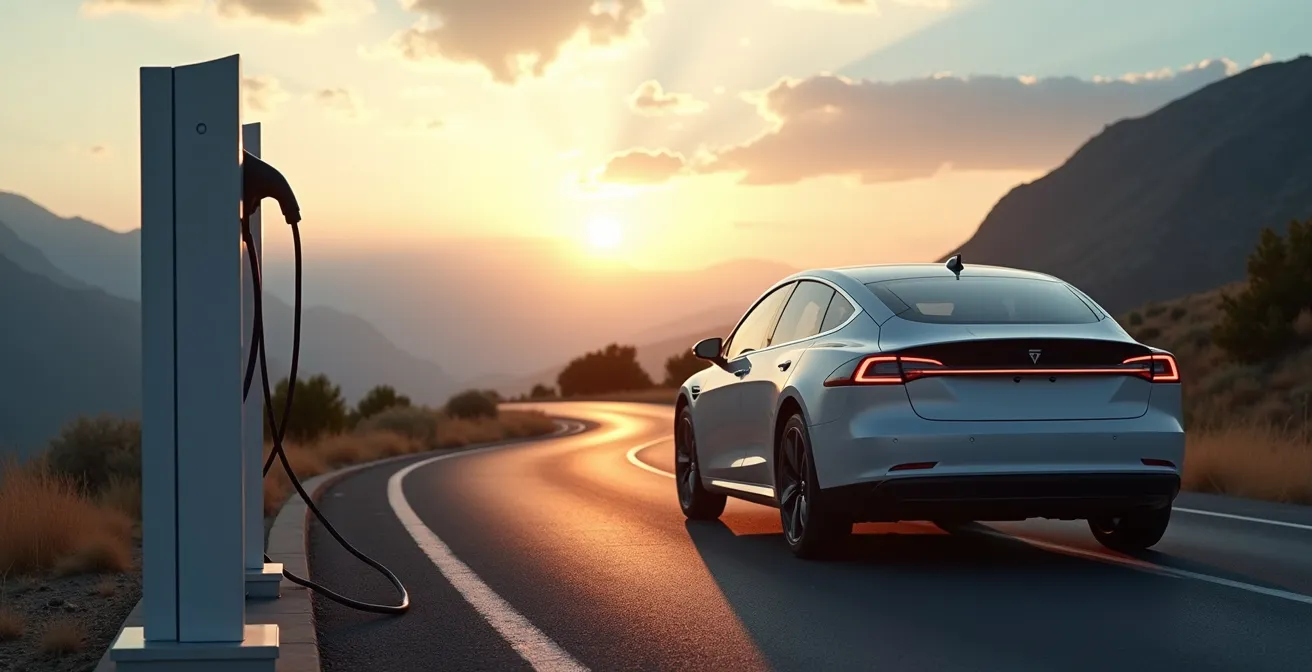
The key to a stress-free EV road trip isn’t the car’s range estimate, but your ability to create a predictable travel system based on real-world data.
- Your EV’s range drops significantly at highway speeds; you must calculate your own “personal consumption rate.”
- Using community-driven apps like PlugShare for “forensic” charger checks is more reliable than network maps.
Recommendation: Master the “20-80% leapfrogging” charging strategy to minimize stop times and maximize travel distance.
The map sprawls across your screen, a dotted line connecting your home to a destination hundreds of miles away. For any new electric vehicle owner, this is the moment a quiet dread sets in: range anxiety. You’ve heard the common advice—plan your route, don’t let the battery get low, check for chargers at hotels. While true, this advice only scratches the surface and leaves you dependent on your car’s optimistic “miles remaining” counter, a number that often feels like a wild guess once you hit the highway.
This leaves you constantly reacting to the car, your stomach tightening as the range drops faster than expected. But what if the entire approach is wrong? What if the secret to conquering range anxiety wasn’t about simply finding more chargers, but about building a predictable, data-driven travel system that puts you in complete control? The goal is to make your car’s range estimate irrelevant because you already know, based on physics and your own data, exactly how far you can go.
This guide will not just tell you what to do; it will explain why. We will deconstruct the factors that drain your battery, teach you how to perform “forensic” analysis on charging stations, and reveal the counter-intuitive charging strategy that saves you time. By the end, you won’t just have a plan; you’ll have a system—the ultimate antidote to range anxiety.
To navigate this comprehensive guide, the following summary outlines the key systems and strategies we will cover. Each section is designed to build your expertise, transforming you from an anxious driver into a confident EV roadmap strategist.
Summary: How to Plan an EV Road Trip and Finally Conquer Range Anxiety
- Why Your “Miles Remaining” Counter Is Lying to You on Highways?
- How to Use PlugShare to Find Chargers That Actually Work?
- Supercharger vs CCS: Knowing Which Plugs Your Car Can Accept
- The “Running on Empty” Risk: What Happens When You Hit 0%?
- When to Stop: The 20-80% Charging Rule to Save Travel Time
- Grid-Tied vs Off-Grid with Battery: Which Setup Survives a Blackout?
- Why Lithium-Ion Batteries Lose 30% of Range Below Freezing?
- How to Plan Road Trips Around Major Regional Infrastructure Repairs?
Why Your “Miles Remaining” Counter Is Lying to You on Highways?
The single biggest source of range anxiety is the disconnect between the number on your dashboard and reality. Your car’s range estimate, often called the “Guess-o-Meter” by seasoned EV drivers, is typically based on recent, gentle, around-town driving. It has no way of knowing you’re about to spend three hours pushing against the wind at 75 mph. The primary culprit is aerodynamic drag, a force that increases exponentially with speed. Doubling your speed quadruples the energy needed to push the air out of the way.
This isn’t a minor effect. Real-world testing confirms a dramatic 23-30% range reduction when increasing speed from 55 mph to 75 mph. Your 300-mile-range EV effectively becomes a 210-mile-range EV on the interstate. Instead of trusting the car, you must create your own data. The most empowering tool in your arsenal is calculating your personal consumption rate at highway speed. Reset your trip meter, drive for 20-30 miles at your intended cruising speed, and note the efficiency figure (e.g., 2.8 miles/kWh). This number, not the car’s guess, is your ground truth for planning.
This data allows you to build a reliable mental model of your vehicle’s actual capabilities under specific conditions. The table below provides a reference for how speed typically impacts range, but your own calculated value will always be more accurate for your specific vehicle and conditions.
| Highway Speed | Range Impact | Typical Efficiency |
|---|---|---|
| 55-60 mph | Baseline (EPA rating) | 3.5-4.0 mi/kWh |
| 65 mph | -5 to -10% | 3.2-3.6 mi/kWh |
| 70 mph | -10 to -15% | 2.8-3.2 mi/kWh |
| 75 mph | -15 to -25% | 2.4-2.8 mi/kWh |
| 80 mph | -20 to -30% | 2.0-2.5 mi/kWh |
By shifting your trust from the car’s optimistic estimate to your own hard data, you replace anxiety with predictability. You are no longer a passenger on a journey of hope; you are the pilot, making decisions based on known variables.
How to Use PlugShare to Find Chargers That Actually Work?
Once you know your real highway range, the next challenge is finding a reliable charger. Relying solely on your car’s navigation or the charging network’s own app can lead to disaster. These systems are often slow to update and can’t report on the most common failures: broken payment terminals, malfunctioning stalls, or stations blocked by gasoline cars (an issue known as being “ICEd”). This is where you must become an investigator, and your primary tool is PlugShare.
PlugShare’s power comes from its community of over two million drivers. It provides the most up-to-date, ground-truth information available. A recent user check-in from two hours ago is infinitely more valuable than a green “Available” icon on a network app that hasn’t updated in a day. As one analysis of EV routing apps notes, human reports on PlugShare capture a range of critical issues that automated systems completely miss, from derated power output to specific stall malfunctions.

As the image suggests, effective use of the app requires more than just finding a pin on a map. You must perform “infrastructure forensics.” This means diving into the details. Read the recent comments. Are users reporting success? Is there a pattern of complaints about a specific stall or slow speeds? Check the photos for signs of construction or blockages. The goal is to build a complete picture of the station’s health before you even commit to driving there. Always identify a reliable backup charger 10-15 miles away as a contingency.
Your Checklist for PlugShare Forensics
- Check the “Recent Activity” tab first, prioritizing check-ins from the last 48 hours.
- Read comments for patterns and keywords like “derating,” “slow,” “payment issue,” or “ICEd.”
- Look for photos to verify the physical state and accessibility of the station.
- Filter by your specific vehicle model to confirm connector compatibility and success stories.
- Aim for locations with a reliability score of 7.0 or higher.
This proactive verification process transforms charging from a game of chance into a confirmed logistical step. It’s a core component of a resilient travel system that eliminates one of the biggest variables in EV road tripping.
Supercharger vs CCS: Knowing Which Plugs Your Car Can Accept
Understanding the charging landscape is crucial for efficient planning. The two dominant players in DC fast charging are the Tesla Supercharger network (using the NACS plug) and networks using the Combined Charging System (CCS) plug, such as Electrify America, EVgo, and ChargePoint. Historically, these were separate ecosystems, but the lines are blurring. Knowing which plugs your car accepts—and which you can adapt to—dramatically expands your options and reduces anxiety.
Each network has a distinct character. Tesla’s Supercharger network is renowned for its reliability and strategic placement along major highways, though amenities are often basic. CCS networks are frequently located in the parking lots of large retailers like Walmart or grocery stores, offering convenient access to food and shopping during your charge. However, their reliability, while improving, has historically lagged behind Tesla’s.
A major development for non-Tesla owners is the increasing adoption of the NACS plug. Many manufacturers like Ford, GM, and Rivian now offer NACS-to-CCS adapters. Carrying one of these adapters can effectively double your fast-charging options in many regions, providing a critical lifeline in rural areas where a Supercharger might be the only option for miles. Furthermore, Tesla is retrofitting many Supercharger stations with “Magic Docks”—an integrated adapter that allows CCS vehicles to charge without any extra hardware. You can check for these locations on the Tesla app or PlugShare.
| Network Type | Typical Locations | Charging Speed | Amenities | Reliability |
|---|---|---|---|---|
| Tesla Supercharger | Highway rest stops, dedicated lots | Up to 250kW | Basic (restrooms nearby) | 95%+ uptime |
| Electrify America (CCS) | Walmart, shopping centers | Up to 350kW | Full retail/dining options | 85-90% uptime |
| EVgo (CCS) | Grocery stores, malls | Up to 350kW | Shopping, food courts | 80-85% uptime |
| ChargePoint (CCS) | Hotels, offices, mixed | 50-150kW typical | Varies widely | 75-85% uptime |
By knowing every type of “gas station” available to you, you build redundancy into your plan. This flexibility is a powerful tool for maintaining momentum and peace of mind on the road.
The “Running on Empty” Risk: What Happens When You Hit 0%?
Every driver’s deepest fear is seeing the battery percentage hit zero, imagining their high-tech vehicle becoming a silent, immobile brick on the side of the highway. The good news is that car manufacturers have built-in safeguards to prevent this. Hitting 0% state of charge (SoC) is not an immediate catastrophe, but a final, urgent warning that you must take immediate action.
All EVs have a hidden battery buffer below the 0% mark displayed to the driver. This buffer, which can provide several extra miles of travel, is designed to protect the lithium-ion battery from deep discharge, which can cause permanent damage. When you hit 0%, the car won’t just stop. It will enter a reduced-power state often called “turtle mode.” The vehicle will severely limit acceleration and top speed (often to 25-30 mph) and turn off non-essential systems like climate control. This is the car’s way of telling you to use every last electron to get to the nearest power source.

Your strategy in this scenario should be calm and methodical. As soon as a low battery warning appears (typically around 5-10%), you must immediately start conserving energy. Reduce your speed, turn off climate control, and use your navigation to find *any* power source, even a standard 120V wall outlet at a rest stop, which can add 3-4 miles of range per hour of charging—enough to make it to a proper charger. The image above captures the feeling of relief when finding even a basic outlet in a rural area.
Emergency Turtle Mode Survival Protocol
When the low battery warning appears, immediately reduce speed to 55 mph or less and turn off all non-essential systems. If it’s safe, drafting behind a large truck can reduce drag. Use PlugShare to find any power source, including Level 2 options or even a 120V outlet. Once in turtle mode, your top speed will be limited; head directly to the nearest charger. It is wise to call for roadside assistance preemptively if you drop below 5% and are unsure you can make it, rather than waiting for complete depletion.
Understanding this process demystifies the “running on empty” scenario. It’s not a sudden failure but a predictable, managed state designed to give you one last chance to find a plug. Knowing this transforms the fear of the unknown into a manageable, albeit stressful, logistical problem.
When to Stop: The 20-80% Charging Rule to Save Travel Time
One of the most counter-intuitive concepts for new EV owners is that charging to 100% on a road trip is almost always a waste of time. Your EV’s battery does not charge at a linear rate. It follows a “charging curve,” accepting power fastest when the battery is at a lower state of charge (typically between 20% and 60%) and slowing down dramatically as it gets full to protect the battery’s health. The last 20% of a charge (from 80% to 100%) can often take as long as the first 60% (from 20% to 80%).
This is the basis of the 20-80% rule. The most efficient road trip strategy is to make more frequent, shorter stops, keeping the battery in its fastest-charging sweet spot. This is known as “leapfrogging” between chargers. Instead of one long 45-minute stop to charge from 20% to 85%, you might make two 20-minute stops. According to real-world data, this leapfrogging approach can be significantly faster. One analysis found that two 20-minute stops charging from 20-60% were typically 25 minutes faster in total than a single 45-minute stop to charge to 85%.
Your goal at each stop is simple: add just enough range to comfortably reach the next fast charger with a 10-15% safety buffer. This requires a mental shift away from the gasoline car model of “filling the tank.” The only times you should charge beyond 80% are when your destination has no charging, the next charger is unusually far away, or you’re stopping for a long meal anyway.
Strategic Charging Stop Decision Framework
- Calculate the miles needed to reach your next planned fast charger, then add a 10-15% buffer.
- Use your car’s interface to determine what percentage of charge is required to cover that distance.
- If that target percentage is below 80% (e.g., you only need to reach 65%), stop charging and continue your journey.
- Only charge past 80% if your destination is remote, the next charger is over 200 miles away, or you are stopping for a meal longer than 45 minutes.
- Use your charging time productively for restrooms, meals, and confirming the status of your next stop.
By embracing shorter, more frequent stops, you work with your battery’s physics instead of against it. This not only saves significant time but also reduces the stress of waiting for a slow-charging battery to crawl from 95% to 100%.
Grid-Tied vs Off-Grid with Battery: Which Setup Survives a Blackout?
While highly unlikely, the scenario of a regional power outage affecting the charging network is a source of extreme anxiety for some drivers. A resilient travel plan includes a contingency for this worst-case scenario. The key is to understand that the public charging grid is not your only option. A world of “off-grid” or generator-backed power sources exists if you know where to look and carry the right equipment.
During major blackouts, such as those caused by heatwaves or storms, drivers have successfully continued their journeys by tapping into alternative power. The most common solution is an RV park or campground. These facilities are often equipped with their own backup generators and provide NEMA 14-50 outlets (50-amp service) that can add 15-25 miles of range per hour with the correct mobile connector. This is more than enough to get you out of an affected area or wait out the outage. Hotels with backup power are another excellent option.
The lesson from these events is clear: preparedness is paramount. Your “Off-Grid Charging Survival Kit” is a crucial part of your vehicle’s emergency equipment. This includes a set of adapters for various outlet types, chief among them the NEMA 14-50 for RV parks and the NEMA 14-30 for dryer outlets you might find at a friend’s house. A heavy-duty extension cord and a portable Level 2 charger (EVSE) complete the kit. Having offline maps with RV parks and campgrounds downloaded to your phone is also a critical failsafe in case cell service is also down.
The Off-Grid Charging Survival Kit
Every EV road warrior should carry a dedicated kit for grid-down scenarios. The essentials include: a portable Level 2 EVSE, adapters for NEMA 14-50 (RV parks) and NEMA 14-30 (dryer outlets), and a heavy-duty 25-foot extension cord. Pre-downloading offline maps showing campgrounds and RV parks is also a vital step. Finally, know your vehicle’s Vehicle-to-Load (V2L) capabilities, if any, which can allow your car to power essential devices during an emergency.
By planning for the possibility of a grid failure, you remove the final piece of dependence on public infrastructure. You are no longer just a user of the grid; you are a self-reliant traveler with a robust and redundant energy plan.
Why Lithium-Ion Batteries Lose 30% of Range Below Freezing?
Driving an EV in the winter introduces a new environmental variable: temperature. Cold weather significantly impacts battery performance, and failing to account for it can quickly lead to range anxiety. The performance drop is not due to a flaw, but to the fundamental chemistry of lithium-ion batteries. The cold slows down the chemical reactions inside the battery, increasing internal resistance and reducing the amount of energy it can deliver. This can result in a range loss of up to 40% in freezing conditions.
On top of the reduced battery efficiency, you are also using a significant amount of energy to heat the cabin and the battery itself. A cold battery cannot accept a fast charge, so upon plugging into a DC fast charger, the car will first spend 15-20 minutes using energy to warm the battery pack before charging can begin in earnest. Your planned 30-minute stop can easily stretch to 50 minutes.
The strategy for winter travel is to be proactive and conservative. The single most effective technique is to precondition your vehicle while it’s still plugged in at home or at a hotel. This uses grid power, not your battery’s precious range, to heat both the cabin and the battery to their optimal operating temperature before you even start driving. Using your car’s scheduled departure feature makes this process automatic. When on the road, relying on heated seats and the steering wheel is far more energy-efficient than using the main cabin heater, sometimes using 75% less energy to achieve a similar level of comfort.
Winter EV Road Trip Optimization Strategy
To combat cold-weather range loss, always precondition the battery and cabin for 15-20 minutes while plugged in before departure. Plan for up to 40% reduced range in temperatures below 20°F (-7°C) and expect your first DC fast charge to take longer as the battery warms up. Whenever possible, use seat heaters instead of the full cabin heater and add an extra 20% time and energy buffer to all of your planned charging stops compared to your warm-weather baseline.
By incorporating temperature into your planning calculations and using smart preconditioning and heating strategies, you can make winter EV travel just as predictable and stress-free as a summer drive.
Key Takeaways
- Your car’s range estimate is a guess; calculate your own consumption rate at highway speeds.
- The 20-80% “leapfrogging” strategy is faster than charging to full on long trips.
- Use PlugShare’s recent check-ins and comments as your primary source of truth for charger reliability.
How to Plan Road Trips Around Major Regional Infrastructure Repairs?
The final layer of a truly resilient EV road trip plan involves accounting for the unexpected on the ground: major construction, road closures, and detours. While these are an inconvenience for any driver, they pose a unique risk to EV owners. A surprise 50-mile detour can be a trip-ending event if it routes you through a “charging desert”—an area with no fast-charging infrastructure.
GPS navigation systems like Google Maps or Waze are designed to find the fastest route, but they have no awareness of your vehicle’s state of charge or the availability of chargers on a proposed detour. There are documented cases where drivers, following a GPS reroute around interstate construction, were sent on long detours without any charging options, nearly getting stranded. One such case documented by AAA involved a detour that added 75 miles of total distance through an area with no available chargers.
The strategic solution is to never blindly accept a major GPS reroute. Before you commit to a long detour, pull over and manually verify charging availability along the new route using PlugShare or A Better Routeplanner (ABRP). In some cases, it may be safer and more efficient to stay on the original route and endure the construction delay at a reduced speed rather than risk a long journey through a charging void. During your pre-trip planning, checking state Department of Transportation (DOT) or “511” websites for major planned construction can help you build contingencies in advance.
Infrastructure-Aware Route Planning Checklist
Before your trip, check state DOT and 511 websites for major construction projects. While driving, if a major reroute is suggested, pull over. Use PlugShare to verify that the new route has viable charging stations. Add a 10-15% energy buffer when traveling through known construction zones to account for potential idling. Finally, always have offline maps downloaded for these areas, as cell service can be spotty near major construction sites.
By layering real-time, on-the-ground conditions over your energy consumption plan, you build the ultimate defense against the unexpected. Your next step is to open your mapping and charging apps not just to find a route, but to build your own data-driven, anxiety-free travel system for your upcoming journey.