Relying solely on your GPS for construction is a recipe for gridlock; the key is to think like a traffic engineer.
- Real-time GPS apps have an information lag; official Department of Transportation (DOT) data is your ground truth for planned closures.
- The worst construction traffic isn’t during rush hour but during crew shift changes (7-8 AM and 3-4 PM).
Recommendation: Before any trip, synthesize information from your state’s 511 app, Waze, and Google Maps Street View to build a resilient primary route and a pre-vetted backup.
The familiar dread sets in: rows of orange barrels narrowing the highway to a single lane. You glance at your GPS. It still shows a green line, blissfully unaware of the miles-long backup forming ahead. For any driver, especially one worried about getting stuck in hours of gridlock, this is the moment a planned trip unravels. The common advice is to “check an app” or simply “be patient,” but these are passive reactions to a problem that requires a proactive strategy. This approach leaves you vulnerable to the unpredictable nature of major infrastructure work.
The core issue is that most drivers treat navigation as a single-source problem, trusting one app to have all the answers. But construction projects are complex, with sudden closures, shifting patterns, and equipment movements that consumer-grade apps struggle to track in real-time. To truly navigate these zones without losing hours of your life, a fundamental shift in mindset is required. You must move from being a passive follower of directions to an active traffic intelligence analyst.
The secret isn’t finding a magic app; it’s learning the art of data synthesis. It’s about understanding why your GPS might be wrong and knowing where to find the ground-truth data from official sources. It’s about using predictive planning to identify potential problem areas long before you leave your driveway and understanding the on-the-ground tactics, like the zipper merge, that optimize traffic flow. This is the difference between hoping for the best and engineering a successful journey.
This guide will walk you through that strategic process. We will deconstruct the problem, from the inherent flaws in GPS data to the specific timing of construction-related congestion. You’ll learn how to analyze official sources, evaluate the trade-offs between highways and backroads, and apply specific techniques for navigating both construction zones and the unique challenges they present for vehicles like EVs. Get ready to build a truly resilient route.
Summary: How to Plan a Road Trip Around Construction Delays
- Why Your GPS Might Not Know About Last Night’s Road Closure?
- How to Check Department of Transportation Sites for Real-Time Updates?
- Highway vs Backroads: Which Is Faster During Peak Construction Season?
- The Merge Point Mistake: Why You Should Use the “Zipper Merge”
- When to Drive: The Best Hours to Pass Through Construction Zones
- Petition or Protest: Which Method Fixes Potholes Faster?
- Citymapper vs Google Maps: Which Is Better for Mixed-Mode Routing?
- How to Plan an EV Road Trip Without Range Anxiety?
Why Your GPS Might Not Know About Last Night’s Road Closure?
The primary reason your navigation app fails in a construction zone is information lag. Consumer GPS apps like Google Maps are exceptional at reacting to existing traffic, but they are less effective at predicting disruptions from new or un-digitized information. A road crew can implement an emergency lane closure, a height restriction, or a detour that won’t appear on your map for minutes or even hours. The system relies on data from official feeds and the movement patterns of other app users, both of which take time to register and process a sudden change.
Furthermore, standard algorithms are not optimized for all vehicle types or situations. They don’t inherently account for the reduced acceleration of an RV, the width of a trailer, or a new, temporary height restriction on an overpass that could force a last-minute, dangerous detour. This creates a gap between the app’s idealized route and the physical reality of the road.
Case Study: The RV Traveler’s 30% Time Buffer
Experienced RV travelers often report a critical flaw in standard navigation: Google Maps fails to account for the unique constraints of their vehicles. They strategically add a 30% buffer to estimated driving times to compensate for slower speeds and greater difficulty navigating tight spots. To mitigate the risk of last-minute surprises, many use a data synthesis approach. As one traveler noted, they use Waze for its real-time, crowd-sourced alerts on accidents and active construction, while cross-referencing with an RV-specific GPS to ensure the route is safe for their vehicle’s size and height.
This is why becoming your own traffic intelligence analyst is crucial. You cannot blindly trust a single source. You must assume there will be an information lag and proactively seek out multiple data points—official, crowd-sourced, and vehicle-specific—to build a more accurate and resilient travel plan. This proactive cross-referencing is the first step in outsmarting, rather than just enduring, construction delays.
How to Check Department of Transportation Sites for Real-Time Updates?
While GPS apps are reactive, state Department of Transportation (DOT) websites and their associated 511 apps are the authoritative source for planned infrastructure work. These platforms provide detailed information on long-term projects, scheduled lane closures, and official detours. Learning to navigate them is a core skill for any strategic driver. Most DOT sites feature an interactive map or a traveler information page listing projects by highway number or region. Look for “planned work,” “construction updates,” or “travel alerts.”
This data provides the “ground truth” that your planning should be built upon. However, these sites can be clunky and may not reflect last-second changes. This is where data synthesis comes in. Your goal is to combine the official, planned data from the DOT with the real-time, crowd-sourced reality from an app like Waze. This combination gives you the most complete operational picture. While navigating these zones, it’s crucial to remain vigilant; more than 700 people die yearly in U.S. work zone crashes, a stark reminder of the risks involved.

As you can see, a strategic approach involves dedicated research before you even get in the car. By cross-referencing these tools, you can identify a potential bottleneck on the DOT map and then check Waze for real-time user reports on the extent of the delay. This allows you to make an informed decision about an alternate route *before* you’re trapped in the backup.
The following table, based on a recent comparative analysis of road trip tools, breaks down the strengths of each platform in your traffic intelligence toolkit.
| Tool | Best For | Real-Time Updates | Offline Capability |
|---|---|---|---|
| Google Maps | General navigation with up to 10 waypoints | Yes – traffic & closures | Yes – downloadable areas |
| Waze | Crowd-sourced hazard reports | Yes – user reports | Limited |
| AAA TripTik | Construction advisories & detours | Yes – member updates | Yes – printable |
| 511 Apps | State-specific DOT information | Yes – official data | Varies by state |
Your Action Plan: Cross-Referencing Real-Time Road Information
- Pre-Departure Intel: Check your state’s official DOT website before leaving for any planned closures and long-term construction project updates.
- Dynamic Duo: Use Waze and Google Maps simultaneously during the drive to compare real-time user reports (Waze) with official traffic data and routing (Google Maps).
- Emergency Broadcasts: Monitor local radio station websites or apps for sudden, emergency closure announcements that may not have hit digital maps yet.
- Community Insights: Join regional Facebook groups or Subreddit communities for your route. Local drivers often share hyper-specific details about traffic patterns and unofficial shortcuts.
- Go Analog: Screenshot or save offline maps of your primary and several alternative routes before entering areas with known poor cell coverage.
Highway vs Backroads: Which Is Faster During Peak Construction Season?
The conventional wisdom is that highways are always fastest, but major construction flips this logic on its head. A single stalled project can turn an interstate into a parking lot, making a network of well-scouted backroads a significantly better option. The decision isn’t about choosing one over the other, but about understanding the trade-offs and having a resilient backup plan. During peak season, you should assume your primary highway route is compromised and proactively map out a viable backroad alternative.
The key is “scouted.” A backroad detour is only effective if you’ve vetted it beforehand. This means using tools like Google Maps Street View to check for road quality, shoulder width, and any low-hanging trees or narrow passages that could be problematic for larger vehicles. As a case study of highway work in the Northwest Territories for summer 2025 shows, projects involving extensive culvert replacements and resurfacing can impact over 100 kilometers of highway, making alternate routes not just a convenience but a necessity.
Your “digital scouting” mission should be thorough. Here are the key steps to vetting a backroad detour:
- Elevation Check: Use the desktop version of Google Maps to check elevation profiles. Steep, winding hills can drastically reduce fuel efficiency and add stress, especially for RVs or EVs.
- Surface Verification: Use a combination of Street View and satellite imagery to verify the road surface. A paved road on the map could be a poorly maintained gravel track in reality.
- Recent Intel: Search for recent traveler photos on social media using location tags or geotags for the specific roads you’re considering. This can provide a near-real-time look at current conditions.
- Connectivity Audit: Check your carrier’s coverage map for the entire detour route. Losing signal in an unfamiliar area with no backup plan is a significant risk. Always download offline maps for the area before departing.
A good backroad route isn’t just the shortest alternative; it’s the one that is paved, has adequate cell coverage, and doesn’t introduce new risks like extreme inclines or poor surfaces. Building this route is a critical part of your pre-trip traffic intelligence work.
The Merge Point Mistake: Why You Should Use the “Zipper Merge”
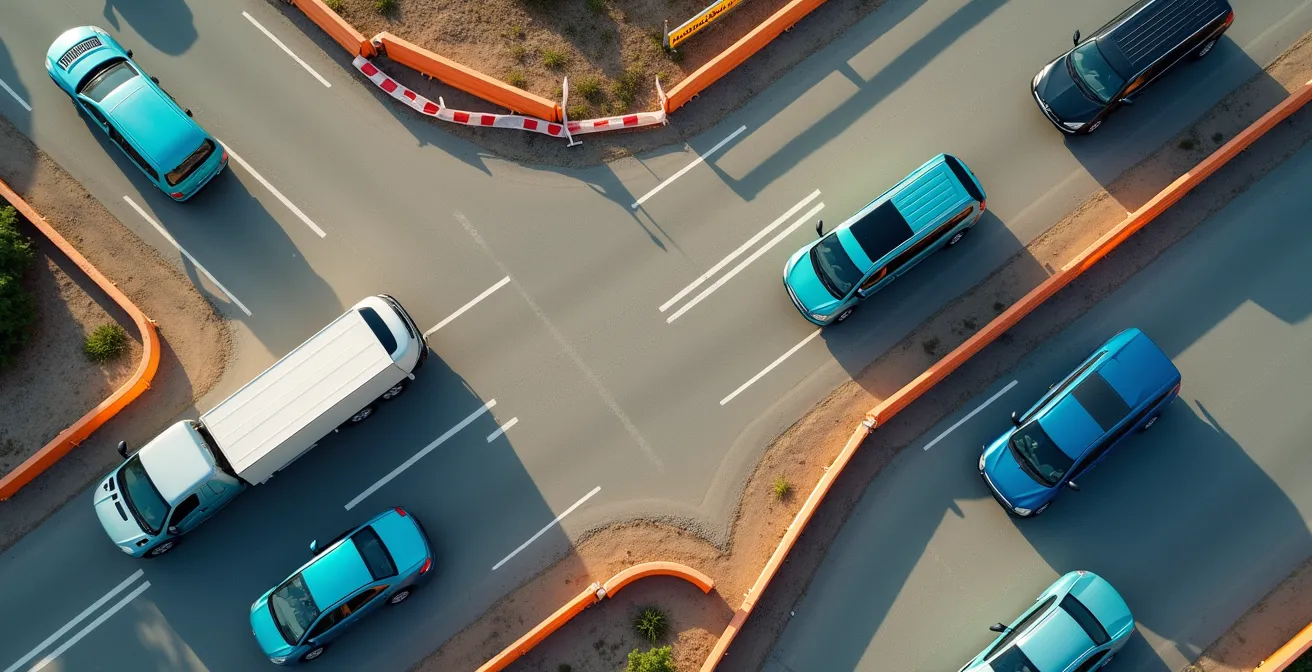
Navigating the physical construction zone requires a specific driving discipline, and nowhere is this more critical than at the merge point. The common, yet inefficient, driver instinct is to merge into the continuing lane as early as possible. This “early merge” feels polite, but from a traffic flow engineering perspective, it’s a mistake. It creates a long, slow-moving single file line while leaving an entire lane empty and unused. This backup can extend for miles, far beyond the actual work zone.
The optimal solution is the zipper merge. This method requires drivers to use both lanes fully up to the merge point, then take turns filing into the single lane in an alternating, one-by-one pattern—like the teeth of a zipper. Studies have shown this method can reduce the length of traffic backups by up to 40%. It’s more efficient because it uses the full capacity of the roadway for as long as possible. To execute it properly, you must resist the urge to merge early and trust that other drivers will let you in at the choke point.
Beyond the merge, safety within the work zone is paramount. Construction zones have lower speed limits, narrower lanes, and workers in close proximity to traffic. Distractions are magnified. To maintain a safe environment, you must increase your awareness and your following distance. While a 2-second gap is standard in normal conditions, safety experts recommend doubling this to a 4-second minimum following distance in work zones. This gives you more time to react to sudden stops, debris on the road, or instructions from a flagger.
Patience and precision are key. The goal is to move through the zone smoothly and predictably. Avoid sudden lane changes, maintain a consistent speed, and give construction workers and equipment a wide berth. A smooth flow, starting with an efficient zipper merge, is safer for everyone.
When to Drive: The Best Hours to Pass Through Construction Zones
One of the most effective strategies for mitigating construction delays is timing your passage through a work zone. Many drivers assume the best time to travel is simply outside of traditional morning and evening commuter rush hours. However, construction zones operate on a different clock. The period of maximum congestion is often not caused by commuters, but by the construction crews themselves.
Analysis of traffic patterns shows that the most significant slowdowns frequently occur during crew shift changes. These typically happen between 7:00-8:00 AM and 3:00-4:00 PM. During these windows, heavy equipment is being moved, lanes may be temporarily blocked for crew access, and the general activity level in the zone peaks. A major project can essentially create its own localized, intense rush hour that is completely independent of regional traffic patterns.
Therefore, the optimal travel windows are often the “lulls” in the construction workday. This includes:
- Mid-Morning (approx. 10:00 AM – 11:30 AM): After the morning shift has settled in and before the lunch break.
- Mid-Afternoon (approx. 1:30 PM – 2:30 PM): After lunch and well before the afternoon shift change.
- Night Work: Many projects, especially in urban areas, perform major work like paving or lane shifts overnight (e.g., 11:00 PM – 5:00 AM) to avoid peak delays. Check DOT sites for scheduled night closures, as this can either be an opportunity for a clear drive or a complete roadblock.
You must also be wary of weekends. While commuter traffic is lighter, construction companies often schedule their most disruptive work for Saturday mornings to take advantage of the open roads. Always verify the project schedule. Planning to arrive at a major work zone at 10:30 AM on a Tuesday is a far better strategy than arriving at 8:00 AM on a Saturday.
Petition or Protest: Which Method Fixes Potholes Faster?
While petitions and protests are public expressions of frustration, the most effective tool for a strategic traveler is data. The same civic reporting systems used to complain about potholes can be leveraged for predictive planning. Cities and states often maintain public databases of 311 service requests, including road defect reports. By analyzing these maps, you can identify stretches of road with a high density of complaints, which are prime candidates for future major repair projects.
This is long-range traffic intelligence. Communities that file numerous complaints about specific road segments often see major reconstruction projects initiated within a 12 to 18-month cycle. A savvy road tripper can use these public complaint databases to forecast future construction zones and begin planning alternative routes years in advance. This transforms you from a victim of road decay into a forecaster of future disruptions.
Your predictive intelligence gathering should include several sources:
- 311 Pothole Maps: Search for “[City Name] 311 map” or “pothole report map” to find official data on problem areas.
- City Council Records: Reviewing public city council meeting minutes can reveal discussions and budget approvals for upcoming road repair projects long before they appear on DOT websites.
- Niche Community Forums: Motorcycle and cycling forums are invaluable resources. These communities are highly sensitive to road surface quality and often maintain detailed, user-generated reports on specific routes that are far more granular than any official source.
- Local News Archives: Searching local news sites for articles about “problem intersections” or “crumbling roads” can highlight chronically neglected areas that are next in line for major overhauls.
By monitoring these channels, you’re not just complaining about a pothole; you’re using its existence as a data point to predict a future gridlock event. This level of foresight is the ultimate expression of a proactive, engineering-based approach to route planning.
Citymapper vs Google Maps: Which Is Better for Mixed-Mode Routing?
A highly effective strategy for navigating construction-heavy urban centers is to not navigate them at all—by car. The “park-and-ride” or mixed-mode routing approach involves driving to a transit hub on the outskirts of a city and using public transportation to reach your final destination. This completely bypasses the unpredictable delays of downtown construction, street fairs, and general congestion. The challenge then becomes choosing the right tool for this two-part journey.
Google Maps is an excellent tool for the “driving” portion. It excels at overall trip planning, allowing multiple stops, and providing robust offline map capabilities for the drive to the transit station. However, once you park your car, its dominance wanes. For navigating the complexities of an urban transit system—subways, buses, trams, and ferries—Citymapper is often the superior tool. It provides hyper-detailed, real-time transit information, including departure times, disruption alerts, and the best subway car to board for a quick transfer.

The optimal strategy is to use both apps in sequence. Use Google Maps to plan the drive to a parking garage near a major transit station. Then, switch to Citymapper for the “last mile” journey into the city core. This hybrid approach leverages the strengths of each platform for its intended purpose.
When planning a mixed-mode trip, the choice of navigation app depends on the specific leg of the journey.
| App | Best Use Case | Offline Maps | Multi-Modal Support |
|---|---|---|---|
| Google Maps | Overall trip planning with multiple stops | Yes – area downloads | Car + Walking + Transit |
| Citymapper | Urban navigation once parked | Limited | All public transport modes |
| Roadtrippers | Long-distance planning with attractions | Yes – premium feature | Car-focused |
| Furkot | International trips with ferries | Export to GPS | Car + Ferry integration |
This strategic handover from one app to another ensures you have the best possible data for each phase of your travel, avoiding the stress of trying to navigate unfamiliar city streets plagued by construction.
Key Takeaways
- Stop relying on a single GPS app; synthesize data from DOT sites, Waze, and local sources to build an accurate travel picture.
- The worst construction traffic is during crew shift changes (7-8 AM & 3-4 PM), not standard commuter rush hour.
- Always pre-scout backroad alternatives using satellite and Street View, and use the “zipper merge” for maximum efficiency at lane closures.
How to Plan an EV Road Trip Without Range Anxiety?
For an Electric Vehicle (EV) driver, a construction detour isn’t just an inconvenience; it’s a direct threat to their available range. An unexpected 20-mile diversion or an hour spent idling in a backup can be the difference between reaching the next charger and needing a tow. Therefore, planning an EV road trip around infrastructure work requires an even higher level of route resilience and a more conservative approach to energy management.
The first principle is to build in a significant energy buffer. While you might typically arrive at a charger with a 10% state of charge, this is far too risky when construction is a factor. In fact, EV road trip experts suggest arriving at charging stops with a 25-30% minimum charge buffer. This buffer is your insurance policy against unexpected detours, elevation changes, or traffic jams that increase energy consumption. Never plan a leg of your journey that relies on arriving with a near-empty battery.
Your planning protocol must be EV-specific and account for the possibility of last-minute route changes. This means using a tool like A Better Routeplanner (ABRP) not just for your primary route, but also to model potential detours. Before you leave, identify likely construction zones and input several alternate routes into ABRP to see how they impact your charging schedule. This proactive “what-if” analysis is critical.
The EV Construction Detour Planning Protocol involves these key actions:
- Immediate Rerouting in ABRP: As soon as a detour is announced, input the new route into A Better Routeplanner to instantly see the impact on your battery and next charging stop.
- Cross-Reference with PlugShare: Check the PlugShare app for charger availability and recent user check-ins along the *detour route*. A planned charger on your original route is useless if you can’t reach it.
- Analyze Elevation: A detour that looks short on a map might go over a significant hill, draining your battery much faster than anticipated. Check elevation profiles for any new route.
- Hotel Charger Filtering: When booking lodging, filter your hotel search for properties with Level 2 charging. An overnight charge provides a massive buffer for the next day’s travel.
- Offline Backup: Before entering a low-signal area, take screenshots of backup charging locations from PlugShare. Don’t rely on having a data connection when you need it most.
By treating your battery’s state of charge as your most valuable asset and proactively planning for contingencies, you can eliminate range anxiety and navigate construction season with confidence.
By adopting the mindset of a traffic flow engineer, your next road trip can be defined by strategy and preparedness, not frustration and delay. Start planning your next journey not just as a driver, but as a traffic strategist, ready to build a resilient route that anticipates and outsmarts the challenges of the road ahead.