
For a solo traveler, entering a rideshare at night is an act of calculated trust. Your safety depends not on luck, but on a system of non-negotiable protocols you control.
- Always verify the vehicle (plate, make, model) and the driver (‘Who are you here for?’) before the door opens.
- Immediately check the child lock to ensure you can exit from the inside.
- Use in-app features like trip sharing and emergency buttons as your digital safety net.
Recommendation: Internalize these steps until they become an automatic, second-nature security check before, during, and after every single ride.
The feeling is universal: you’re alone, it’s late, and your phone screen is the only thing illuminating the dark street corner. The app says your ride is arriving. A car pulls up. For a moment, you hesitate. This moment of hesitation is your survival instinct at work, and your job is to give it the tools it needs to protect you. For any solo traveler, especially a woman, getting into a stranger’s car is a situation that demands absolute vigilance. Generic advice like “be aware of your surroundings” is not a strategy; it’s a platitude.
True safety isn’t passive. It’s an active, systematic process. It’s not about a collection of disconnected “tips,” but about building a personal security protocol that you execute with disciplined consistency. The reality is that incidents do happen. A recent report revealed 3,824 reports of sexual assault in Uber rides in a single year, a stark reminder that you are the first and last line of your own defense. But what if the key to safety wasn’t just about avoiding danger, but about fundamentally shifting the power dynamic? What if you could control the variables from the moment you book the ride to the moment you step out?
This guide is not a list of suggestions. It is a series of non-negotiable security protocols. We will dissect the critical moments of a rideshare journey, from pre-booking to final exit. We will analyze the tools at your disposal, the mistakes to avoid, and the mindset required to transform you from a hopeful passenger into a vigilant operator of your own safety.
This article details the essential protocols for ensuring your safety. The following summary outlines the key sections we will cover, from setting up your digital chaperone to understanding the security mindset that applies to all aspects of your travel.
Summary: Your Personal Rideshare Security System
- Why You Should Always Share Your Trip Status with a Contact?
- How to Check the License Plate and Child Lock Before Entering?
- Uber vs Lyft: Which App Offers Better Emergency Response Tools?
- The “What’s My Name” Mistake: Entering a Car Without Confirming the Driver
- Where to Wait: Choosing Well-Lit Spots vs Dark Corners
- The Locking Mistake That Gets Your Scooter Stolen in 5 Minutes
- How to Configure Transaction Thresholds to Block Suspicious Charges?
- Zipcar or Rental Counter: Which Car-Booking App Saves More for Weekend Trips?
Why You Should Always Share Your Trip Status with a Contact?
Your first layer of defense is not physical; it’s digital and remote. Sharing your trip status transforms a solo journey into a monitored event. This is not a “nice to have” feature; it is a fundamental part of your security protocol. By designating a trusted contact as your “virtual chaperone,” you create a system of accountability for the driver and the rideshare company. An unmonitored trip is a vulnerability. A monitored trip tells a potential predator that someone is watching, knows your location, and expects you to arrive safely at a specific time.
This is about creating an external safety net that operates independently of your own actions inside the car. Should your phone battery die, or should you become incapacitated or unable to communicate, your virtual chaperone has the critical information—driver name, car details, license plate, and real-time location—needed to alert authorities. You must treat this feature with the seriousness of a flight plan. Establish a clear protocol with your contact before you even leave home. This includes check-in times and a clear “if-then” emergency plan if you fail to respond.
Implementing this is straightforward but requires preparation:
- Set up Trusted Contacts: Go into your rideshare app’s settings now and designate one or two people. Do not wait until you are booking a ride.
- Enable Automatic Sharing: Configure the app to automatically share your trip status for all rides, or at a minimum, for any ride taken after a certain hour (e.g., 9 p.m.).
- Establish Check-In Rules: Agree with your contact on a simple check-in protocol, such as a quick text every 10-15 minutes during a late-night ride.
- Create an Emergency Plan: Your contact must know what to do if you miss a check-in. The sequence should be: Call rider. If no answer, call driver. If no answer or situation feels wrong, call 911 with the trip details.
Never get into a car without activating this feature. A driver who knows their every move is being tracked by a third party is fundamentally more accountable than one who believes you are completely alone.
How to Check the License Plate and Child Lock Before Entering?
The moment before you open the car door is the most critical control point of your entire journey. This is your “airlock,” and you must perform a disciplined, multi-point verification before breaching it. The most common mistake is a partial check—a quick glance at the car model or a hurried look at the plate. This is insufficient. Your verification must be 100% accurate across multiple points: license plate number, car make and model, and driver’s name. A mismatch on any single point is an absolute red flag. You do not get in. You cancel the ride and report the issue.
The horrifying reality is that predators pose as rideshare drivers to lure unsuspecting passengers. As highlighted in the case of a USC student, entering the wrong vehicle can have devastating consequences. The student was abducted and assaulted after getting into a car she believed was her ride, a tragic outcome that was entirely preventable through a strict verification protocol. This is not a theoretical risk; it is a documented threat vector.
This paragraph introduces the critical concept of the child lock. To ensure you understand its mechanism, the image below shows a close-up view.
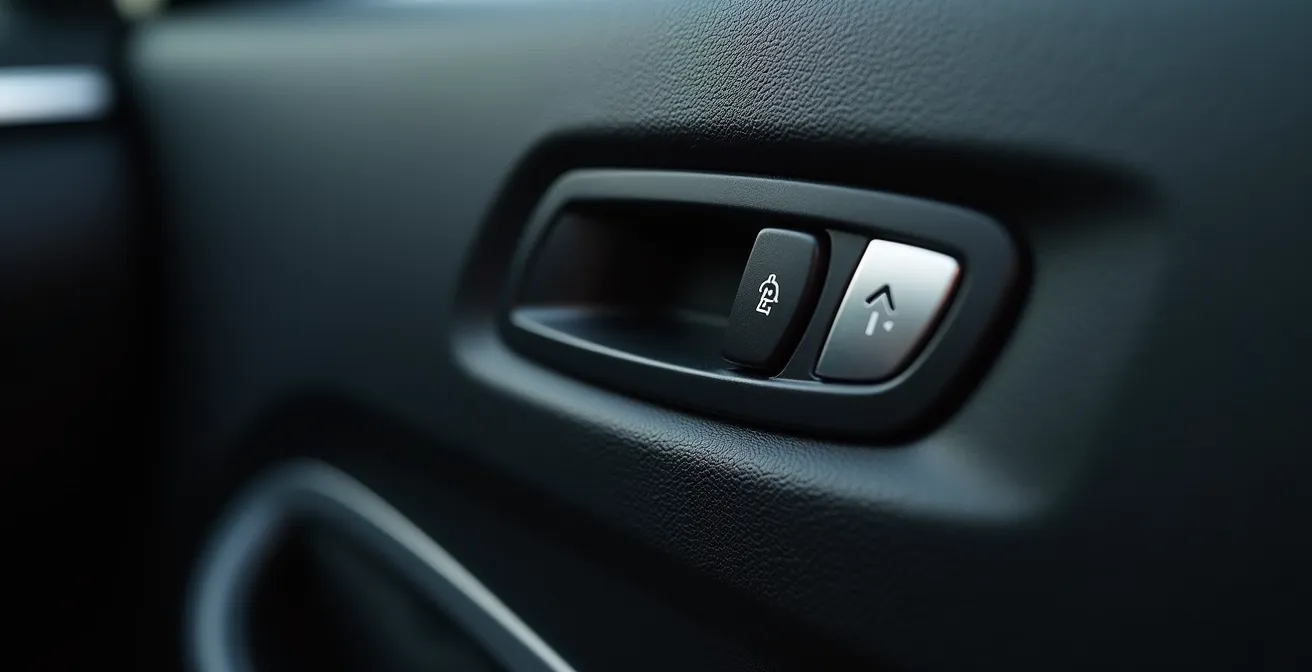
Once inside, your first action—before the car moves—is to test your exit. The child safety lock, when engaged, makes it impossible to open the back door from the inside. Predators use this as a tool for entrapment. Immediately after closing your door, pull the interior handle. If the door does not open, order the driver to stop and let you out. If they refuse, this is a crisis situation, and you must escalate to an emergency call immediately. This is a non-negotiable test you must perform on every single ride.
Your 5-Second Pre-Entry Security Scan
- Verify Plate: Confirm every letter and number on the license plate matches the app. No exceptions.
- Verify Vehicle: Confirm the car make, model, and color match the app’s description.
- Scan the Back Seat: Look through the window before opening the door to ensure the back seat is empty.
- Check Door Integrity: As you open the door, glance at the handle and locking mechanism for any signs of tampering.
- Test Child Lock: The moment you are seated and the door is closed, pull the interior handle. The door MUST open.
Treat this pre-entry scan not as a suggestion, but as a mandatory, life-saving procedure. Complacency at this stage invalidates all other safety measures.
Uber vs Lyft: Which App Offers Better Emergency Response Tools?
Your phone is not just for booking a ride; it is your command center for personal security. Both Uber and Lyft have invested in safety features, but understanding the nuances between them allows you to choose the tool that best fits your security protocol. This is not about brand loyalty; it is about a tactical assessment of the emergency resources available to you. Your ability to access help in seconds can be the difference-maker in a crisis.
Both platforms offer core features like an in-app emergency button and trip sharing. However, the implementation differs. Uber’s emergency button directly dials 911 and provides the dispatcher with your real-time location, vehicle details, and license plate. Lyft partners with the security company ADT, allowing for silent alerts to an ADT agent who can then contact 911 on your behalf. This silent alert can be a crucial advantage if you cannot speak openly. Furthermore, both apps now include “Smart Trip” features that use GPS data to detect unusual stops or route deviations, prompting a check-in to see if you need help. While not a substitute for your own vigilance, it adds another layer of automated monitoring. In a direct comparison, recent data showed that the Uber incident rate was 33% lower than Lyft between 2021 and 2022, though both companies are continually updating their safety protocols.
The following table provides a clear comparison of the key safety tools offered by each service, based on a recent analysis.
| Safety Feature | Uber | Lyft |
|---|---|---|
| Emergency Button | 911 direct dial with location sharing | 911 + ADT partnership for silent alerts |
| Incident Detection | RideCheck for crashes/stops | Smart Trip Check-In for route deviations |
| Trip Sharing | Trusted Contacts with reminders | Share destination feature |
| Safety Agent Support | 24/7 dedicated safety team | ADT professional monitoring |
| Audio Recording | Available in select cities | Limited availability |
Ultimately, the “better” app is the one whose tools you have practiced using. Before you travel, open both apps. Locate the safety toolkit and emergency button. Do a dry run of the trip-sharing feature. In a moment of panic, you will not have time to learn; you will rely on muscle memory.
The “What’s My Name” Mistake: Entering a Car Without Confirming the Driver
The single most powerful tool you have to prevent entering the wrong car is a simple, five-word question: “Who are you here for?” This question fundamentally shifts the power dynamic from the driver to you. The common mistake—the “What’s My Name” mistake—is to approach a car and offer your name (“Are you here for Jane?”). This gives a potential predator the final piece of information they need to impersonate your driver. They already know the make and model of the car you are expecting from the app. By giving them your name, you complete their cover.
Instead, you must force the driver to prove they have your booking. The legitimate driver has your name on their app. An imposter does not. By asking “Who are you here for?”, you create a non-negotiable checkpoint. There is no correct answer other than your name. Any hesitation, any fumbling, or any attempt to turn the question back on you (“What’s your name?”) is an immediate and absolute fail. This is not a conversation; it is a verification test.
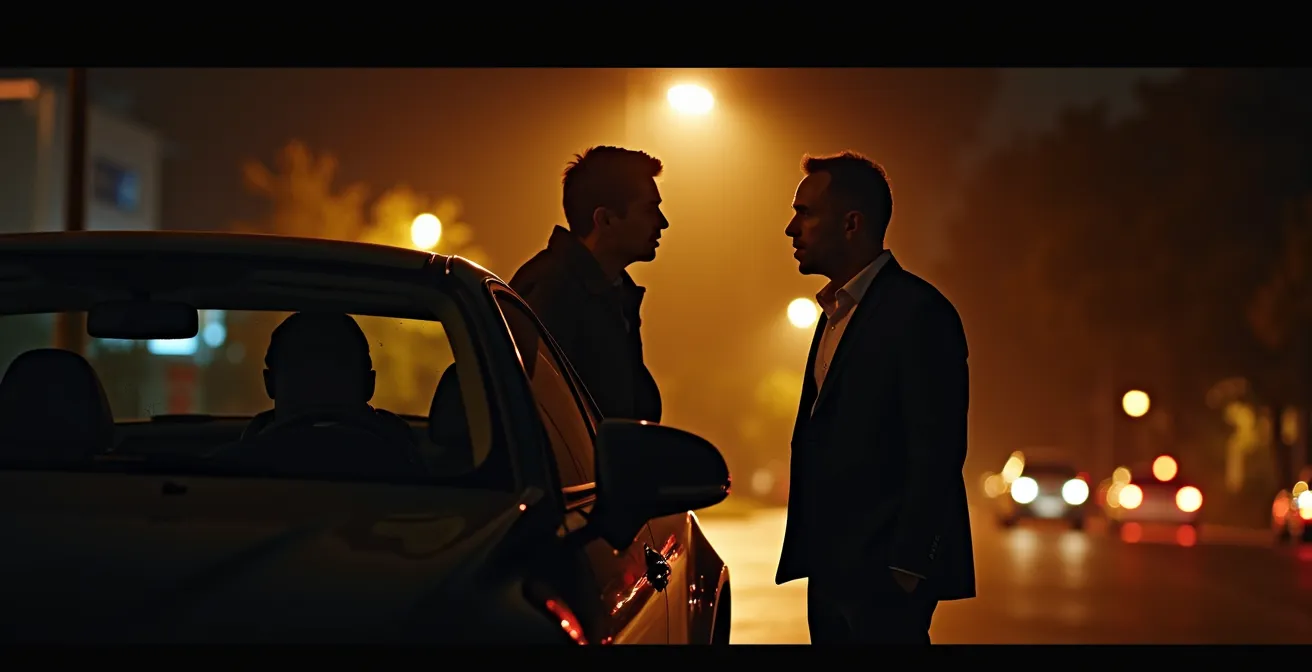
This interaction, often at night and through a car window, is a critical moment. The visual below captures the tension and importance of this brief but vital exchange.
A legitimate driver will understand and expect this protocol. Any driver who becomes annoyed or aggressive at this simple safety check is revealing a critical character flaw that should be seen as a red flag in itself. Your safety is more important than their impatience. If you feel any pressure or discomfort, trust that instinct. Cancel the ride, step away from the vehicle, and report the driver for unprofessional behavior. This is not an overreaction; it is you enforcing your security boundary.
Practice this power-shifting script:
- You: (Through the closed or partially open window) “Who are you here to pick up?”
- If Driver gives your name: Proceed with the other vehicle checks.
- If Driver hesitates or gets it wrong: “I think there’s a mix-up.” Do not offer your name. Move away from the car.
- If Driver becomes annoyed: “This is my standard safety protocol.” If their attitude persists, cancel immediately.
- Report: Use the in-app reporting feature to flag any driver who fails this basic verification step.
Never volunteer your name. This simple discipline is one of the most effective deterrents against abduction by impersonation.
Where to Wait: Choosing Well-Lit Spots vs Dark Corners
Your security protocol begins before the car is even assigned. The location you choose to wait for your pickup significantly influences your vulnerability. Standing alone on a dark, isolated street corner while staring at your phone is the equivalent of painting a target on your back. It signals to any passing opportunist that you are distracted, alone, and expecting a car to stop for you, making you an easy target for robbery or abduction.
The strategic principle is to minimize your exposure. Whenever possible, wait indoors. Set your pickup pin at the location, but remain inside a hotel lobby, a restaurant, or a store until the app shows that your driver is at the curb. This reduces your time on the street from several minutes to mere seconds. You only exit the secure building when the verified vehicle is physically present. This simple change in procedure drastically reduces your risk profile.
Expert Strategy: The ‘Pin and Pivot’ Approach
Security experts at SABRE advocate for a strategy to reduce vulnerability while waiting. Instead of standing on the sidewalk constantly refreshing your app, they recommend a “Pin and Pivot” approach. Set your pin, then move to a safe, well-lit position with your back to a wall where you have a wide field of view. From this “pivot” point, you can intermittently check your phone for the car’s location without being completely absorbed by the screen. As security experts emphasize, this simple tactical shift makes you appear more aware and less vulnerable, deterring potential attackers who look for distracted targets.
If waiting indoors is not an option, you must be deliberate in your choice of an outdoor waiting area. Follow these rules:
- Seek Light and Activity: Position yourself in a well-lit area, preferably with foot traffic or near an open business. Light is a powerful deterrent.
- Control Your Pickup Side: If possible, set your pin so that the car picks you up on the passenger side, allowing you to step from the curb directly into the car without walking into traffic.
- Use Specific Landmarks: Message your driver through the app with a precise landmark: “I am waiting directly under the awning of the Grand Hotel.” This reduces confusion and minimizes time spent searching for the car.
- Avoid High-Risk Zones: Never wait in or near parking garages, alleyways, construction sites, or on quiet residential streets after dark. These are ideal locations for an ambush.
By controlling your environment before the ride arrives, you are already executing a successful safety mission before the journey has even begun.
The Locking Mistake That Gets Your Scooter Stolen in 5 Minutes
At first glance, the theft of an e-scooter seems unrelated to personal safety in a rideshare. But the underlying principle is identical: a momentary lapse in security protocol, driven by a false sense of safety, creates a catastrophic vulnerability. The “five-minute mistake” is a universal lesson in the dangers of complacency. It’s the thought process that says, “I’ll only be gone for a moment,” “It’s a safe area,” or “What are the chances?”
When a scooter rider fails to use a heavy-duty lock because they are just running into a store for a minute, they are making a risk calculation. They are betting that the low probability of theft in a short time frame justifies ignoring the proper security procedure. This is the exact same mental error a passenger makes when they skip checking the license plate because they are in a hurry, or fail to test the child lock because the driver seems friendly. They are gambling with their safety based on an assumption.
Your personal security system must be absolute and non-negotiable. It cannot be situational. You do not get to decide that a protocol is “less necessary” this time. The moment you make an exception—the moment you decide it’s “probably fine” to jump in the car without confirming the driver’s name—is the moment your entire system fails. A thief with bolt cutters needs less than a minute. A predator needs only one opportunity, one unlocked door, one unverified ride.
The scooter mistake teaches us that security is not a part-time effort. It is a constant state of discipline. Every single time. No exceptions.
How to Configure Transaction Thresholds to Block Suspicious Charges?
The concept of setting a transaction threshold on your credit card is a perfect analogy for personal safety boundaries. In finance, you instruct your bank: “If any single charge exceeds this amount, block it and alert me immediately.” You are defining a clear, non-negotiable limit. You are pre-authorizing a defensive action based on a predefined rule, removing emotion and hesitation from the decision-making process.
You must apply the same logic to your personal safety. Your “safety thresholds” are the red flags that trigger an immediate, pre-decided response. For example:
- Threshold: Driver does not know my name. Action: Block the ride. Do not enter. Cancel and report.
- Threshold: Child lock is engaged. Action: Block the ride. Demand to be let out. If refusal, call 911.
- Threshold: Driver deviates significantly from the GPS route without explanation. Action: Question the driver. If the answer is unsatisfactory, share your live location with your contact and tell them you are in a suspicious situation. Consider using the emergency button.
- Threshold: Driver asks inappropriate personal questions. Action: Block the conversation. Provide short, non-committal answers and report the driver after the ride.
By defining these thresholds in advance, you eliminate the dangerous internal debate that often occurs in a threatening situation: “Am I overreacting? Is it really that bad? I don’t want to be rude.” Your protocol has already made the decision for you. The threshold has been crossed, and the action is automatic. This removes hesitation, which is a predator’s greatest ally. They rely on your politeness and your reluctance to create a scene.
Your safety depends on your ability to act decisively, not to be polite. Set your thresholds now. Decide what your automatic responses will be. When a red line is crossed, your only job is to execute the plan.
Key Takeaways
- Your safety is not guaranteed by an app; it is secured by your own disciplined, non-negotiable security protocols.
- Verification is absolute: Confirm the license plate, vehicle, driver’s name, and test the child lock on every single ride.
- Leverage technology as your force multiplier: Use trip sharing as a virtual chaperone and know how to activate the in-app emergency button instantly.
Zipcar or Rental Counter: Which Car-Booking App Saves More for Weekend Trips?
The final layer of your security mindset is proactive risk assessment, which extends to how you choose your mode of transport. The question of whether to use a peer-to-peer car-sharing service like Zipcar or a traditional rental counter is often framed around cost and convenience. But as a vigilant traveler, you must reframe it around variable control and risk environment. Each system presents a different set of security variables that you must evaluate.
A traditional rental counter (e.g., Hertz, Avis) provides a highly structured environment. You interact face-to-face with a uniformed agent. The vehicle is part of a managed corporate fleet, subject to regular maintenance schedules. The transaction is formal and documented. This system offers high accountability but can be less convenient. A car-sharing app offers speed and flexibility. You unlock a car with your phone. The process is anonymous and self-service. However, this introduces different risks: Was the previous driver safe? Is the car parked in a secure, well-lit location? Is the vehicle’s maintenance status reliable?
There is no single “safer” answer. The correct choice depends on your personal risk tolerance and your ability to mitigate the vulnerabilities of each system. Choosing the rental counter might be a better option when arriving in an unfamiliar city late at night, as it provides a structured, well-lit, and staffed environment. Choosing Zipcar might be acceptable for a short, daytime trip in a neighborhood you know well. The goal is not just to save money, but to make a conscious choice about which set of risks you are more comfortable managing.
Before your next trip, don’t just compare prices. Compare the security protocols of each service and decide which one gives you the most control. This proactive risk assessment is the hallmark of a truly prepared solo traveler.